
Truecaller: Spam Call Blocker
TruecallerCommunication
4.4157.56K Reviews
- Version
- Varies With Device
- Installs
- 1.00B
- Age Rating
- Everyone
Screenshots
Our Review of Truecaller: Spam Call Blocker
 Analysis by Appyee
My first-week impression of Truecaller: Spam Call Blocker is that it can make an annoying part of owning a phone feel less unpredictable. The appeal is immediate: an unfamiliar number appears, and the app may help identify it before I decide whether to answer. That small moment matters when I’m expecting a delivery, a call from a new client, or a message from someone whose number I haven’t saved.
When the early convenience becomes a routine
Caller identification is most useful when I treat it as a clue, not a verdict. A label can help me decide what to do, but I still use judgment, especially when a call could be important. I’d rather let an unknown call go to voicemail than assume every unfamiliar number is unwanted. That habit keeps the protection useful without making me miss legitimate calls.
The app is a communication tool from Truecaller, and its central appeal is straightforward: less interruption from suspected spam and more context around incoming calls. It is free to install, though in-app purchases are available, with item prices ranging from $0.99 to $449.00. I would start with the free experience and decide whether any paid option solves a problem I actually have, rather than paying just because extra features are offered.
A realistic day with caller identification
Imagine I’m working through a busy afternoon and my phone rings from a number I don’t recognize. If Truecaller flags it as spam, I can avoid breaking concentration to answer. If it identifies a caller I might need to speak with, I can pick up or return the call when I have time. That’s a more practical benefit than simply seeing a blocked-call notification: it helps me make a quicker, better-informed choice.
For someone who gets frequent calls from unfamiliar numbers, that repeated decision support can become a habit. For someone whose phone rarely rings, the payoff may be too modest to justify changing their setup. The app’s value depends less on novelty than on how often unknown calls are a real nuisance.
How it fits beside built-in call tools
Most phones already offer basic ways to silence or filter calls, so I wouldn’t install another app automatically. Built-in tools are a sensible choice if I mainly want fewer interruptions and prefer to keep call handling simple. Truecaller is more appealing when I also want caller identification beyond my saved contacts and a community-informed approach to recognizing unwanted numbers.
That comparison comes with a trade-off: adding a dedicated caller-ID service means accepting its setup and deciding how it should interact with phone and contact access. I would review the permissions and settings carefully, then keep only the functions I’m comfortable using. People who prefer minimal apps, avoid sharing contact access, or rarely receive suspicious calls may be happier with the phone’s own controls.
Small habits that make it more useful
I’d begin by checking how the app handles calls rather than assuming every feature should be turned on. A useful routine is to review an unfamiliar caller’s identification, make the decision myself, and save a number only after I know it belongs in my contacts. That keeps the contact list intentional and prevents a quick lookup from becoming an automatic trust decision.
I’d also pay attention to what happens after a call is blocked or marked as suspicious. If I’m expecting a call from a business or service, I can check missed calls and voicemail instead of relying only on the label. This is a simple safeguard: spam detection can reduce interruptions, but it should not replace checking for a call I genuinely need.
Getting Started with Truecaller
So, diving right in, downloading Truecaller from the app store was a breeze. It’s available for both Android and iOS, which is super convenient because let’s be real, we’ve all got that one friend who's always on the opposite operating system. After installation, the setup was pretty straightforward. It asks for the usual permissions like accessing your phone and contacts, which is necessary for it to work its magic.
Features That Stand Out
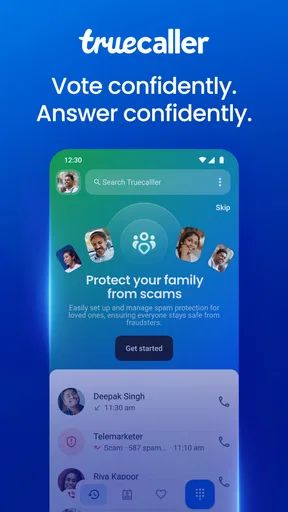
Once you’re in, the first thing you’ll notice is the clean and intuitive interface. It’s not cluttered, and finding your way around is a piece of cake. But what really won me over are the features. Here’s what I found most useful:
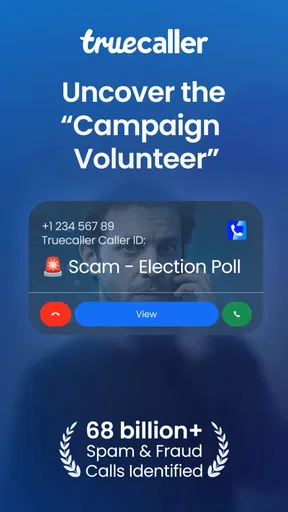
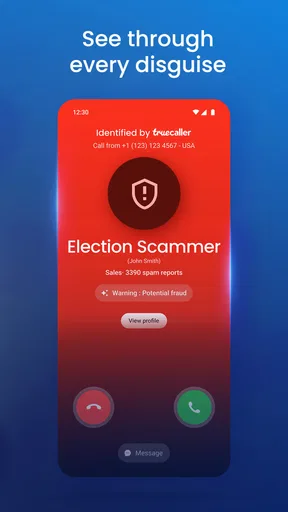
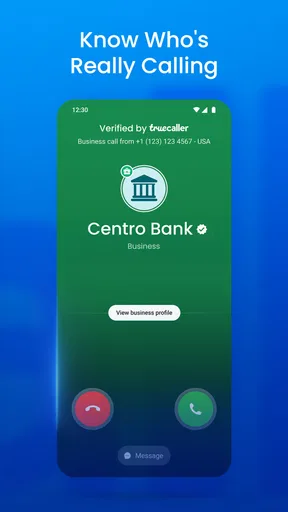
- Caller ID: This is probably the highlight. It shows you who’s calling even if they’re not in your contacts. Super handy for avoiding those spammy calls.
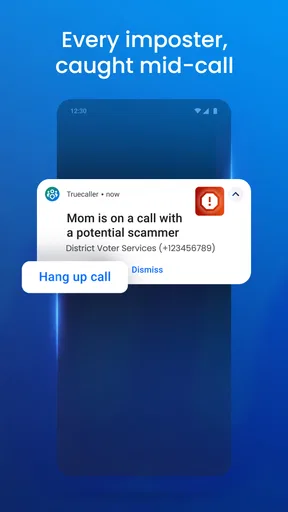
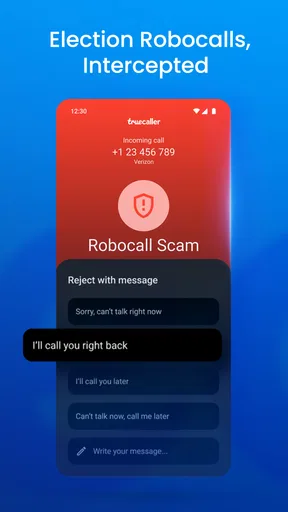
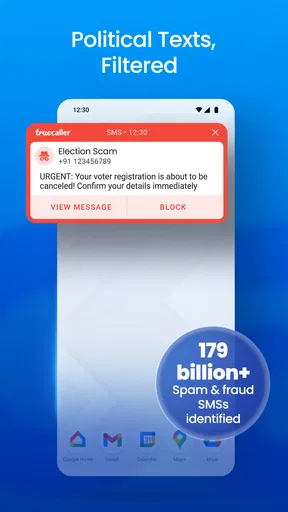
- Spam Blocking: The app automatically blocks known spammers. It’s like having a bouncer for your phone!
- Call Recording: You can record calls directly from the app, which is great for those important business calls you don’t want to miss a detail on.
- Chat and SMS: It also integrates with your messaging, allowing you to send messages within the app. Pretty neat if you ask me!
My Personal Experience
Using Truecaller has honestly been a game-changer for me. Before, my phone would buzz with unknown numbers all the time, most of them being spam. But now, I get this satisfying notification that a spam call was blocked. It feels like a small victory every time.
The caller ID feature is also spot-on. There have been instances where I got calls from unfamiliar numbers, and Truecaller helped me identify them right away. It’s especially useful if you’re like me and can’t always remember which number belongs to which contact.
Additional Perks
Besides the basics, there are a few extras that make Truecaller worth sticking with. For one, there's a premium version that offers features like ad-free experience and who viewed your profile. I haven’t splurged on it yet, but I’ve heard good things from friends who have.
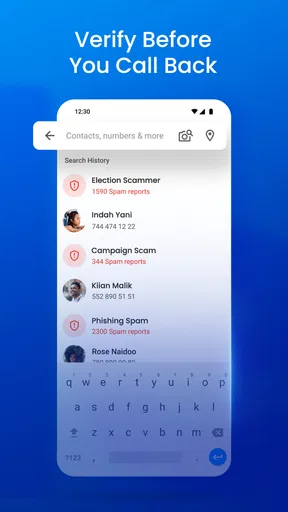
Another cool aspect is the community-based approach. The app uses data from millions of users to identify and block spam numbers, ensuring its database is always up-to-date. It’s almost like being part of a global effort to combat spam.
Keeping it useful over time
For the long run, I’d judge the app by whether it quietly saves attention rather than by how many features I can explore on day one. An occasional spam alert is helpful, but repeated alerts, prompts, or a changing call routine can make any utility feel like work. I’d keep the setup lean and revisit it only if the balance between useful screening and extra friction changes.
There is also a practical limit to community-based identification: a number’s label is useful context, but it cannot tell me with certainty why a person is calling or whether a call is safe to ignore. Numbers can be unfamiliar for perfectly ordinary reasons, and an identification service is best treated as one input among several. That caution matters most if I rely on calls for work, appointments, or family responsibilities.
The app has a 4.4 average rating from around 28 million ratings, and it has passed a billion installs. Those figures suggest it has broad appeal, but they don’t tell me whether it suits my own call habits. I’d use my first few weeks to notice whether it meaningfully reduces interruptions, whether I still check missed calls, and whether the setup feels comfortable. If the answers are mostly yes, the routine has earned its place; if not, the built-in call controls may be enough.
What to consider before relying on it
Truecaller is rated for Everyone, and it has been available since May 31, 2012. Its long presence makes it a familiar option in communication, but I would still make a personal choice about access and daily use. Before enabling features, I’d read the permission prompts, understand what each one enables, and decline anything I don’t need. Convenience is not a reason to grant access without thought.
Another decision is whether to use its messaging and call-related extras or keep it focused on identification and blocking. A single app can feel convenient, but I don’t need to move every communication habit into it. If I already like my phone’s messaging setup, I can leave that routine alone and judge the app on the call screening that brought me to it.
It may also be a poor fit for people who must answer nearly every unknown number, since blocking aggressively could create a risk of overlooking a legitimate caller. In that situation, I’d favor identification and manual decisions over automatic blocking wherever the settings allow. Someone who receives very few calls, or who values the simplest possible phone setup above caller information, has a good reason to skip it.
Wrapping Up
In conclusion, if you’re tired of dealing with unwanted calls, Truecaller: Spam Call Blocker might just be the solution you need. It’s user-friendly, effective, and offers a ton of features to keep your phone nice and spam-free. Whether you stick to the free version or decide to go premium, it’s definitely worth a try.
So, next time you’re scrolling through the app store, give Truecaller a download. Trust me, you might just find yourself wondering how you ever lived without it!
My long-term verdict
For me, this earns lasting space only when unknown calls are a recurring distraction and the identification helps me act with more confidence. The strongest case is for people who regularly field calls from new numbers and want a little more context before answering. The weaker case is for anyone who rarely gets such calls, dislikes adjusting permissions, or would rather rely on basic phone-level filtering.
I’d start with the free version, use a cautious approach to blocking, and give the habit time to prove itself. If it saves attention without making me second-guess every incoming call, I’d keep it. If the interruptions are already manageable or the added setup feels like more effort than the calls themselves, I’d remove it and stick with the simpler option. That is the test I’d use after the first-week novelty has passed: not how much the app can do, but whether it keeps making an ordinary day a little easier.
Privacy and Permissions
See what permissions an app requests and how it handles your data.
- Identity
- find accounts on the device, read your own contact card
- Contacts
- find accounts on the device, read your contacts, modify your contacts
- Location
- approximate location (network-based), precise location (GPS and network-based)
- SMS
- read your text messages (SMS or MMS), receive text messages (MMS), receive text messages (SMS), send SMS messages, edit your text messages (SMS or MMS)
- Phone
- directly call phone numbers, reroute outgoing calls, read call log, read phone status and identity, write call log
- Photos/Media/Files
- read the contents of your USB storage, modify or delete the contents of your USB storage
- Storage
- read the contents of your USB storage, modify or delete the contents of your USB storage
- Camera
- take pictures and videos
- Microphone
- record audio
- Wi-Fi connection information
- view Wi-Fi connections
- Device ID & call information
- read phone status and identity
- Other
- view network connections, pair with Bluetooth devices, change network connectivity, connect and disconnect from Wi-Fi, disable your screen lock, full network access, change your audio settings, control Near Field Communication, run at startup, reorder running apps, draw over other apps, control vibration, prevent device from sleeping, modify system settings, install shortcuts, read Google service configuration
How Truecaller: Spam Call Blocker Compares
Full ComparisonContacts suits people organizing and backing up their address book, Truecaller is the strongest fit for blocking spam calls, and Getcontact adds caller identification with privacy controls.
| App | Developer | Rating | Price |
|---|---|---|---|
 Contacts | Google LLC | 4.3 | Free |
 Truecaller: Spam Call BlockerThis App | Truecaller | 4.4 | Free |
 Getcontact | Getverify LDA | 4.0 | Free |
Verdict
Strengths of Truecaller: Spam Call Blocker
- Effective spam call blocking
- Accurate caller ID feature
- User-friendly interface
- Customizable settings
- Minimal battery usage
Limitations of Truecaller: Spam Call Blocker
- Requires internet connection
- Some features need premium
- Occasional false positives
- Ads in free version
- Limited offline capabilities
Similar Picks in This Category
View All
Google Messages
Google LLC4.6

Gmail
Google LLC4.1

Google Meet
Google LLC4.4

Google Chrome
Google LLC4.1

WhatsApp Messenger
WhatsApp LLC4.6

Carrier Services
Google LLC4.2
You May Also Like
View All


Frequently Asked Questions
What is Truecaller and how does it work?
Truecaller is an app designed to identify and block spam calls and messages. It uses a vast database of numbers reported by users worldwide to identify unknown callers. When a call comes in, Truecaller matches the number against its database and displays the caller's identity, allowing users to decide whether to accept or block the call.
Is Truecaller safe to use on my device?
Truecaller is generally safe to use, as it does not store your phonebook data on its servers. However, it does require access to your contacts to function effectively. The app employs security measures to protect user data, but users should always be cautious and review permissions before installing any app.
Does Truecaller work offline?
Truecaller requires an internet connection to access its database for identifying callers in real time. Without an internet connection, the app can still function with previously stored data, but it won't be able to identify new or unknown numbers until connectivity is restored.
How does Truecaller handle my privacy?
Truecaller respects user privacy by not uploading contact lists to its servers. However, it does collect other information like call logs to improve its service. Users should review the privacy policy and adjust app settings to control how their data is used, ensuring a balance between functionality and privacy.
Can Truecaller block all spam calls and messages automatically?
Truecaller can automatically block known spam numbers based on reports from its community. While it significantly reduces spam, it may not catch every spam call or message. Users can manually block numbers and customize settings for enhanced protection, tailoring the app to meet their specific needs.
